
More searchable documents, party sector chart analysis, clearer free text alerts
Read on for more details about these released features. If you would like to gain a deeper understanding of these updates, join us at one of our upcoming live training sessions (sign up here), or email us at info@solomonic.co.uk.
Search across more document types
June 2026
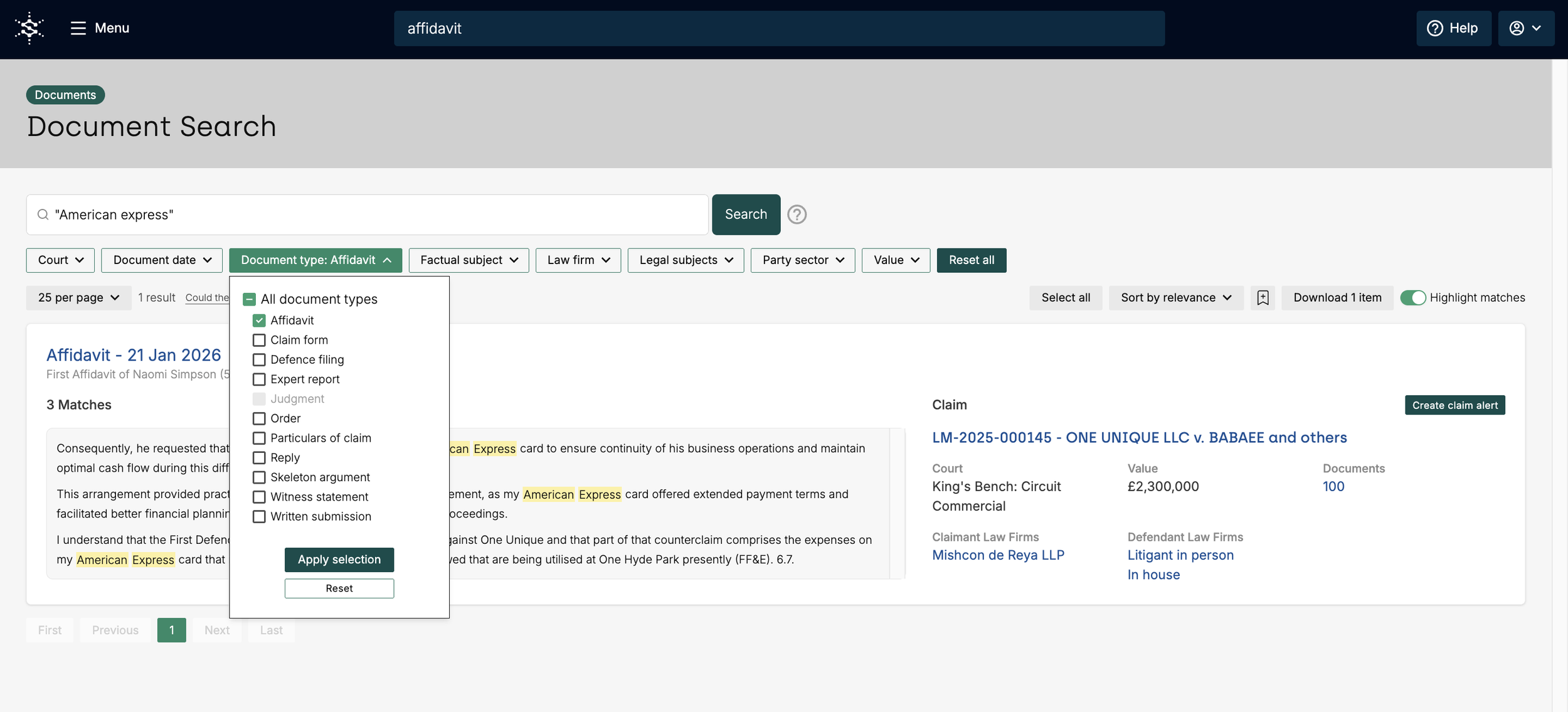
We've expanded our document search tool to include publicly available documents published under the Transparency Pilot, allowing you to search an even wider range of content. Newly searchable document types include affidavits, expert reports, skeleton arguments, witness statements, and written submissions.
Please note that the addition of these document types does not mean that all such documents are immediately searchable. As with all documents in our search tool, we must first purchase and digitise them before their contents can be made searchable.
You may also notice that some of these document types are not yet available to request through our platform. This is because they have not all been published via CE-File. Based on our understanding, said documents will only be available if they have been explicitly mentioned in hearings that take place after the launch of the trial. As a result, not every document will be available but we continue to add newly published documents as they become available to ensure our coverage is as comprehensive as possible.
*Judgments are still not included within the document search tool. Should you have any questions about this release, please do email us at info@solomonic.co.uk.
Create free text alerts with more confidence
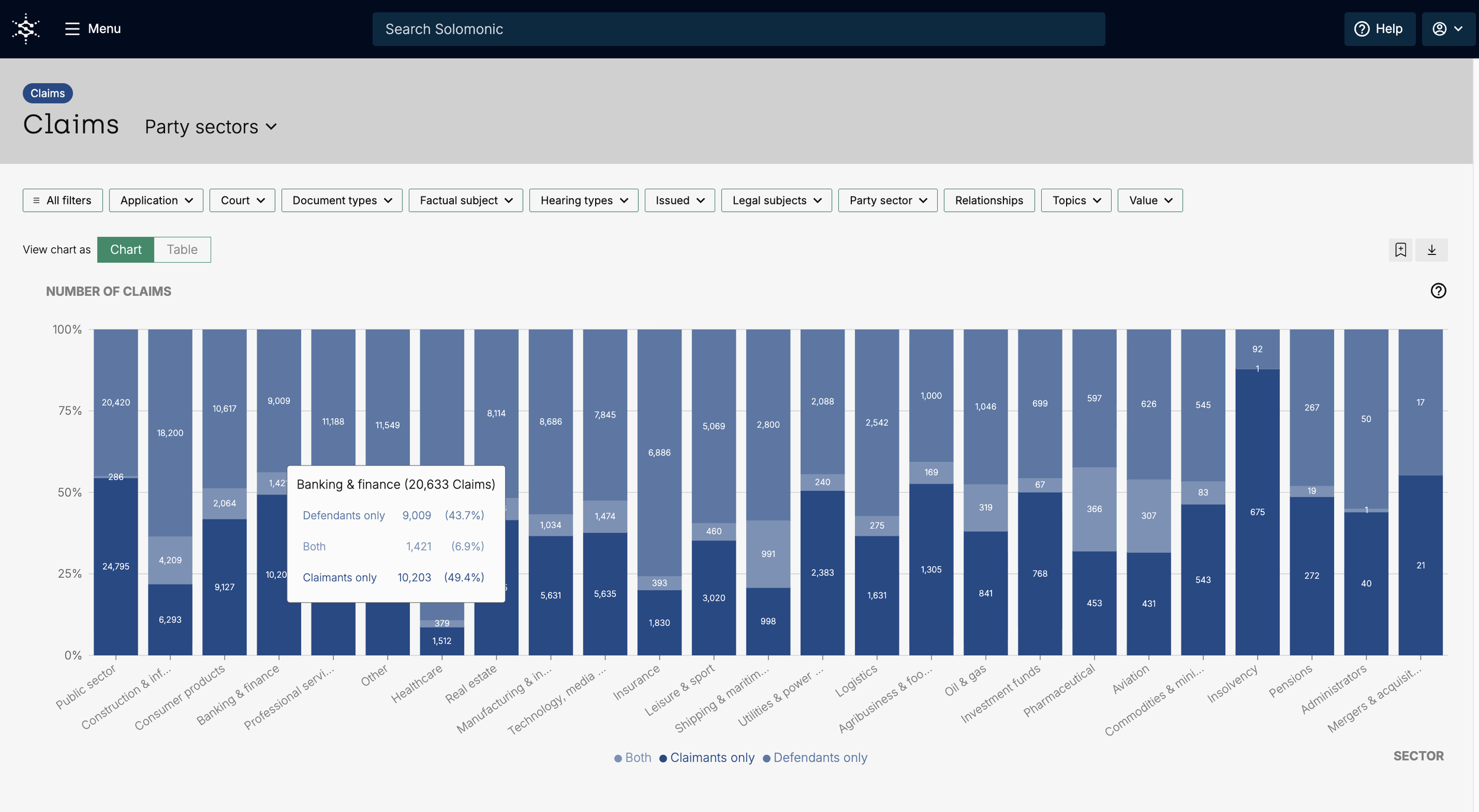
Visualise claimant & defendant splits in the Party sector chart
As per your feedback, our popular Year in Review Party Sector Analysis is now available directly within the platform. Explore claim volumes across each sector alongside a detailed claimant and defendant breakdown. Apply filters to compare sectors, identify trends over time, and see how the claimant-to-defendant split evolves across different areas.
Use this chart for thought leadership pieces and to comment on your area of expertise, share sector-specific litigation insights with clients and identify which industries are seeing the most activity compared with your own caseload and areas of focus.
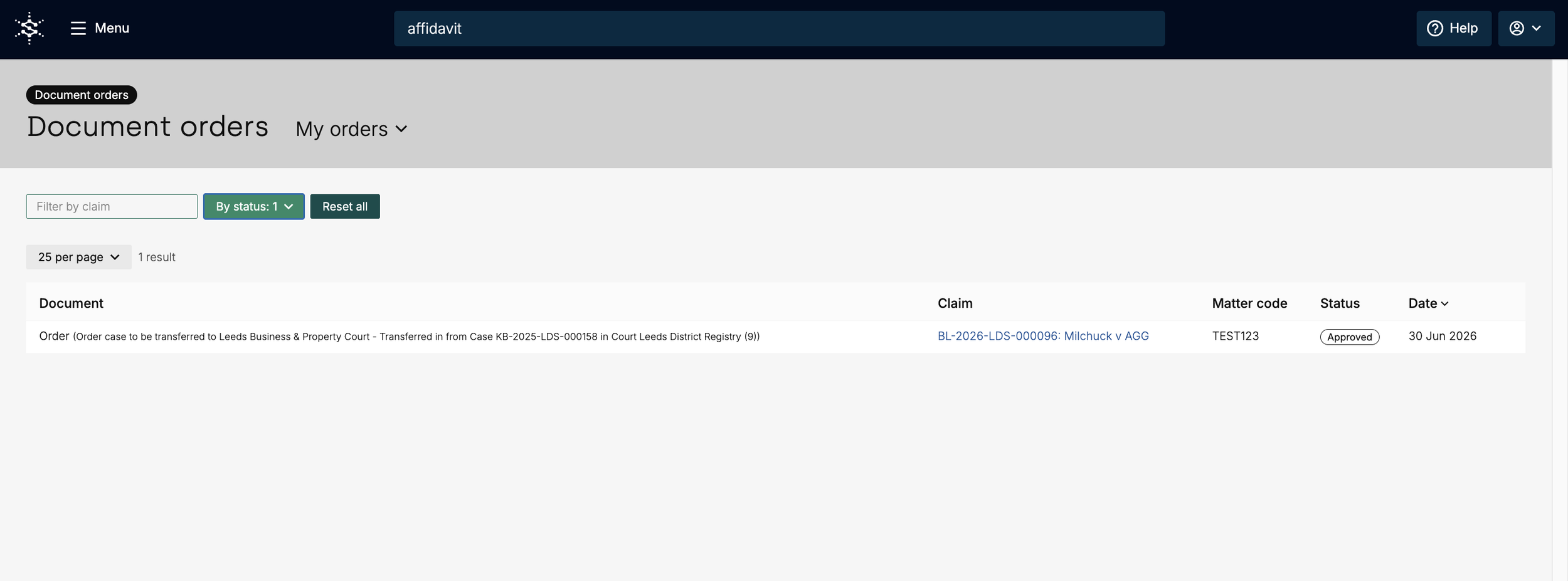
Quickly identify matter codes for document requests
You can now view the matter codes assigned to your document requests directly on the My Document Orders page, making tracking and reference easier. Approvers can also see the matter codes submitted by users before approving requests.
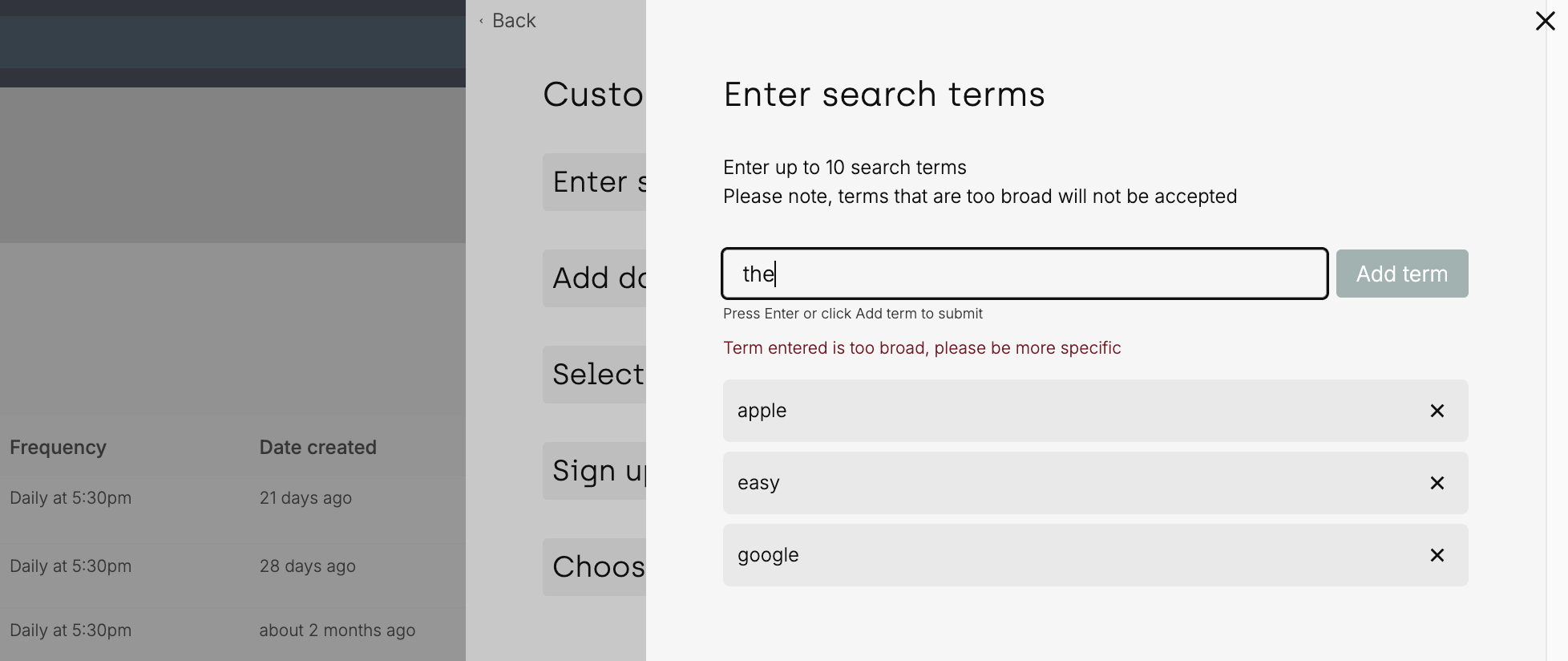
We've made creating free text alerts even more intuitive. It's now clearer how to add search terms to your alert, with improved visual feedback to confirm when they've been successfully added.
As you add search terms to your alert, you can either click the Add term button or press Enter to add each term. The builder will confirm when a term has been successfully added and will clearly flag any issues with your entries, making it easier to build and review your alerts.